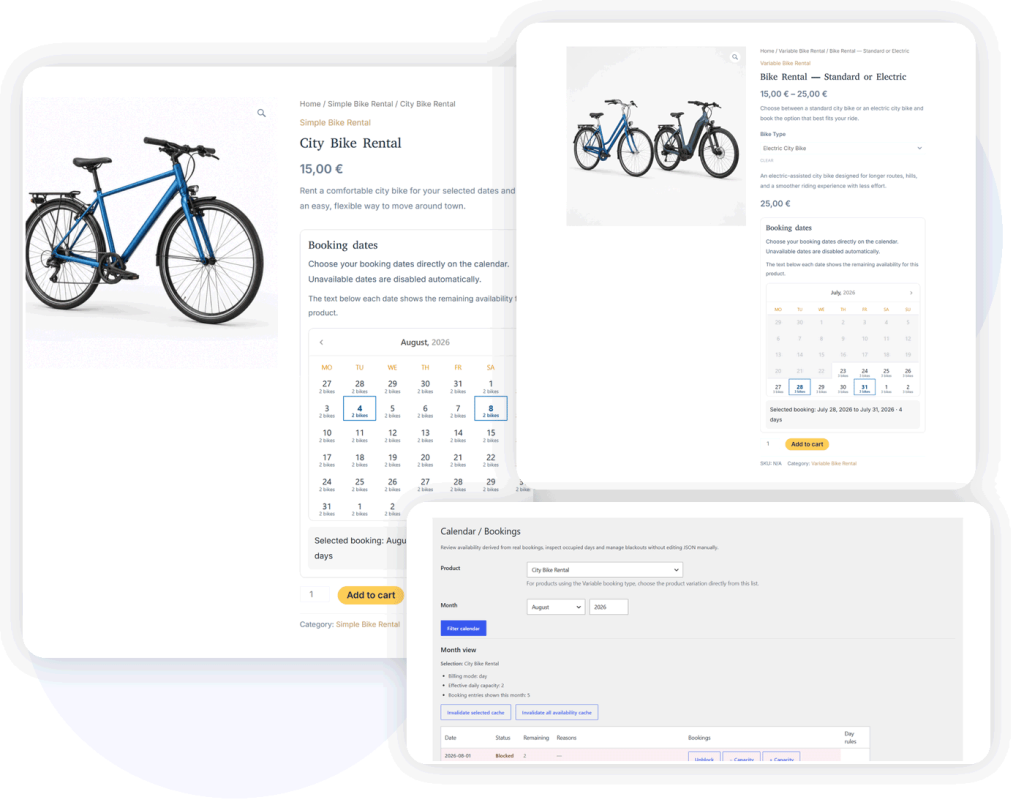
Free WooCommerce Rental and Booking Plugin
DevAgent WBR turns simple or variable WooCommerce products into bookable products for full-day and overnight reservations. Customers select dates on the product page, while availability, daily capacity and booking details remain connected to the WooCommerce cart, checkout and order workflow.
Requires WooCommerce. WordPress 6.8+ and PHP 8.1+.
Full-day and overnight bookings
Booking simple and Booking variable products
Daily capacity and remaining availability
WooCommerce order-based booking data
Run date-range rentals inside WooCommerce
DevAgent WBR is designed for businesses that rent products or accept reservations by full days or nights. It extends familiar WooCommerce products instead of replacing the store, checkout or order system.
Bike and scooter rentals
Let customers choose a date range and book the available quantity directly from a WooCommerce product page.
Tools and equipment
Set capacity per day for equipment that can be rented in multiple units.
Event and party equipment
Use WooCommerce products, checkout and orders while adding occupied dates and availability checks.
Sports and outdoor equipment
Create bookable products for items such as kayaks, camping equipment or seasonal gear.
Other day- or night-based rentals
Use DevAgent WBR for WooCommerce products that are reserved by complete days or overnight periods.
Booking features built around the WooCommerce workflow
Booking simple and Booking variable products
Use Booking simple for one bookable option, or Booking variable when customers need to choose a variation before selecting dates.
Day and night booking modes
Use inclusive day ranges or overnight stays where the checkout date remains available for another booking.
Daily capacity
Define how many units can be booked for each occupied date and show remaining availability when required.
Frontend date selection
Display a date-range calendar on the product page and disable dates that are no longer available.
Checkout and order validation
Carry booking details through cart and checkout, validate availability again and store the selected dates in WooCommerce order items.
Calendar / Bookings administration
Review availability, inspect order-linked booking entries, block dates and apply per-day capacity overrides.
A booking flow customers can understand
Booking a simple product
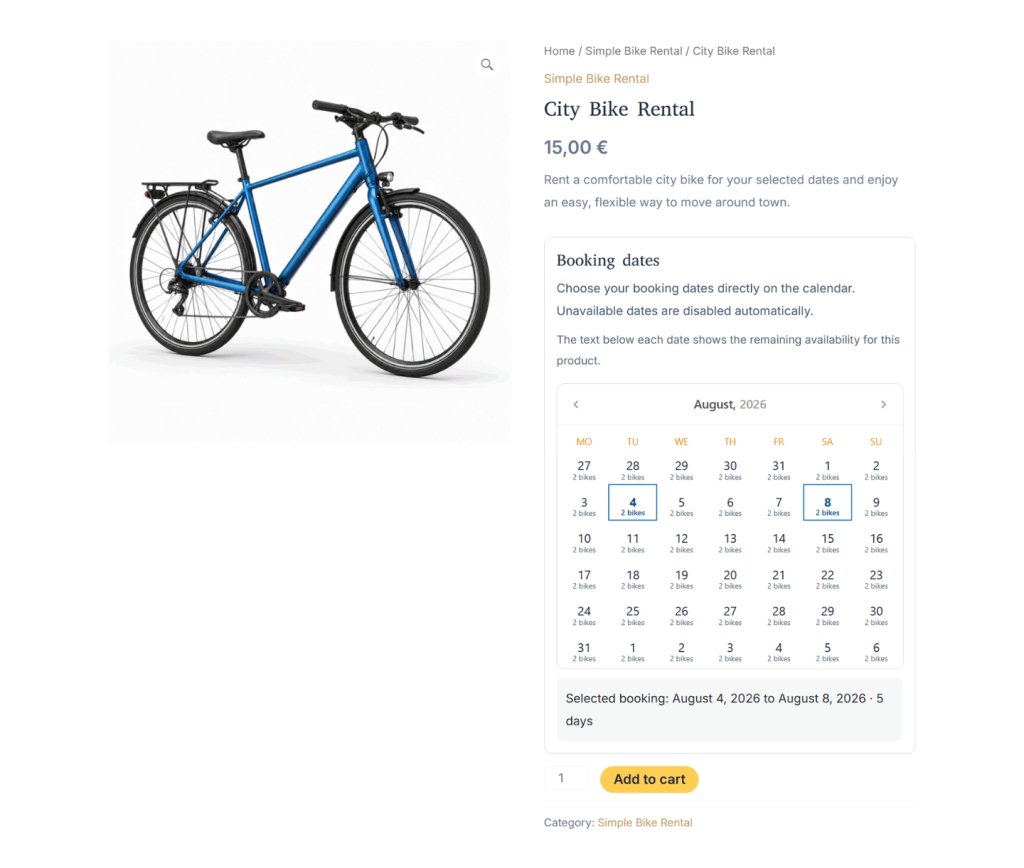
A Booking simple product presents one bookable option. The customer chooses a valid date or date range, reviews the selected booking and adds the product to the WooCommerce cart.
Real DevAgent WBR frontend: Booking simple product with date-range selection and remaining availability.
Booking a variable product
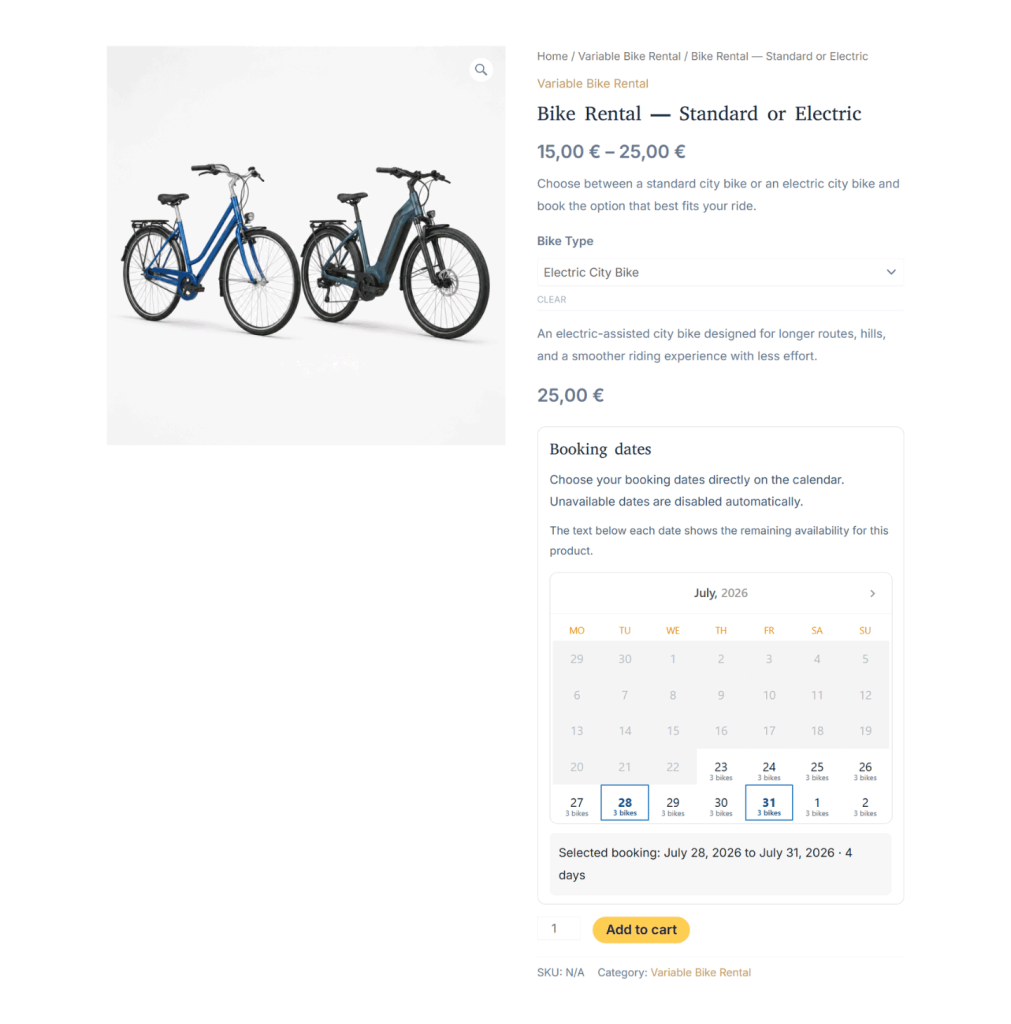
A Booking variable product asks the customer to select a variation first. DevAgent WBR then loads the corresponding price, capacity and available dates for that option.
Real DevAgent WBR frontend: Booking variable product after selecting a bike type and booking dates.
Review occupancy and adjust availability by date
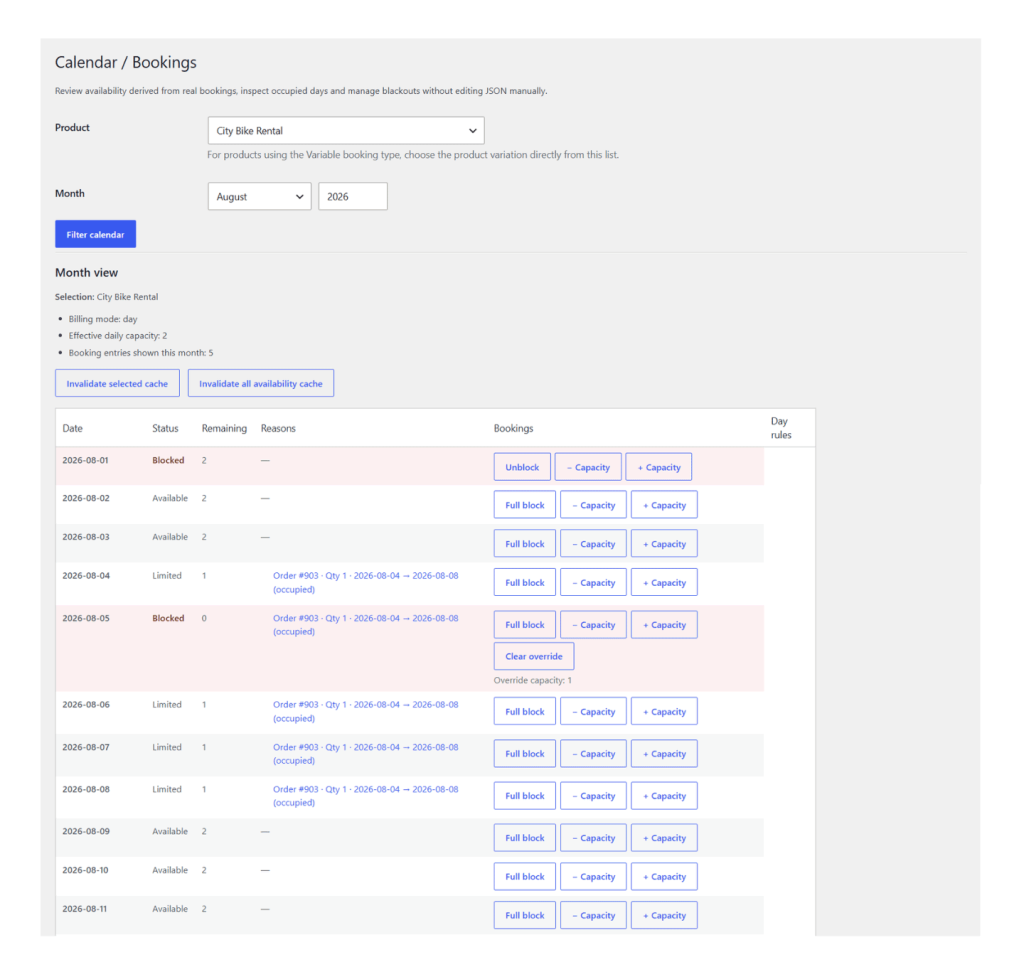
The Calendar / Bookings screen derives availability from WooCommerce order data and the day rules configured for the selected product or variation.
Review available, limited and blocked dates.
Inspect booking entries linked to WooCommerce orders.
Block or unblock an entire date.
Increase or decrease capacity for a specific date.
Clear a capacity override when it is no longer needed.
Invalidate availability cache after relevant changes.
Real DevAgent WBR administration screen showing booking occupancy, blocked dates and capacity controls.
How DevAgent WBR works
Install the plugin
Install DevAgent WBR from WordPress.org, activate it and confirm that WooCommerce is installed and active.
Configure a bookable product
Choose Booking simple or Booking variable, set the WooCommerce base price, configure capacity per day and define the minimum booking units.
Accept bookings through WooCommerce
Customers select dates on the product page. DevAgent WBR sends the booking data through cart and checkout and stores it with the WooCommerce order.
Requirements and scope
Technical requirements
- WordPress 6.8 or higher
- PHP 8.1 or higher
- WooCommerce 8.5 or higher
- WooCommerce installed and active
Pricing behavior in the free plugin
DevAgent WBR uses the WooCommerce product or variation price as the base price for each booking unit. The booking total is calculated from the base price, the selected days or nights and, when enabled, the selected quantity.
Not included in the free plugin
- Hourly bookings
- Advanced pricing rules
- Operational logs
- Custom booking tables
- Buffer days
Need flexible booking prices?
DevAgent WBR — Dynamic Pricing adds rules based on date ranges, weekdays, booking duration and priority.
Product information before and after installation
Documentation
Follow installation, settings, product configuration, capacity and troubleshooting instructions.
Changelog
Review the current release and the changes introduced in each version.
WordPress.org
Download the free plugin, review its requirements and access the public support forum.
Current release verified on WordPress.org on July 28, 2026: 1.1.0.
Frequently asked questions
Does DevAgent WBR require WooCommerce?
Yes. DevAgent WBR extends WooCommerce products, cart, checkout, orders and emails. WooCommerce must be installed and active.
Can I create simple and variable booking products?
Yes. Booking simple is used for one bookable option. Booking variable is used when customers must select a variation before choosing dates.
How is availability calculated?
DevAgent WBR derives occupied dates from WooCommerce order item booking data and applies product capacity, blocked order statuses, full-day blocks and per-day overrides.
Can customers book more than one item?
Yes, when the quantity selector is enabled and the selected date range has enough remaining capacity.
Does DevAgent WBR support hourly appointments?
No. The free plugin is designed for full-day and overnight reservations. Hourly bookings are outside its current scope.
Is DevAgent WBR compatible with WooCommerce HPOS?
Yes. The plugin declares HPOS compatibility and uses WooCommerce APIs to access order data.
Add date-range bookings to your WooCommerce products
Create Booking simple or Booking variable products, show available dates and manage daily capacity without replacing the WooCommerce checkout and order workflow.
Free WordPress plugin · Public documentation · Premium add-ons available