FREE WORDPRESS PLUGIN

A WordPress admin workspace plugin for roles and users

Create focused administration experiences inside native WordPress. Combine role and capability settings, dashboard blocks, quick actions, menu organization, a validated start page, and role or user assignments in one reusable workspace.

DevAgent Admin Workspace changes how authorized users navigate wp-admin without treating menu visibility as a security layer. WordPress capabilities and destination-plugin checks remain the source of access control.

Free and open source · Native wp-admin · WordPress 6.8+ · PHP 8.1+

Free WordPress plugin

Install and update DevAgent Admin Workspace through WordPress.org.

Native WordPress admin

Work inside wp-admin without replacing it with a separate hosted dashboard.

Role and user assignments

Share one published workspace across roles or apply an individual user exception when needed.

Local data, no telemetry

The plugin stores its configuration locally and does not require an external account or remote service.

CONNECTED ADMINISTRATION

Bring roles, dashboards, menus, and assignments into one workspace

Many WordPress administration tools address one layer at a time. DevAgent Admin Workspace connects the operational settings that need to work together, while keeping presentation and authorization separate.

Role and capability configuration

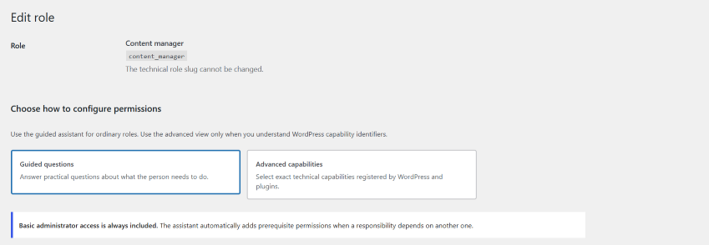
Create or duplicate WordPress roles and configure capabilities through guided questions or an advanced technical view.

Dashboard blocks and quick actions

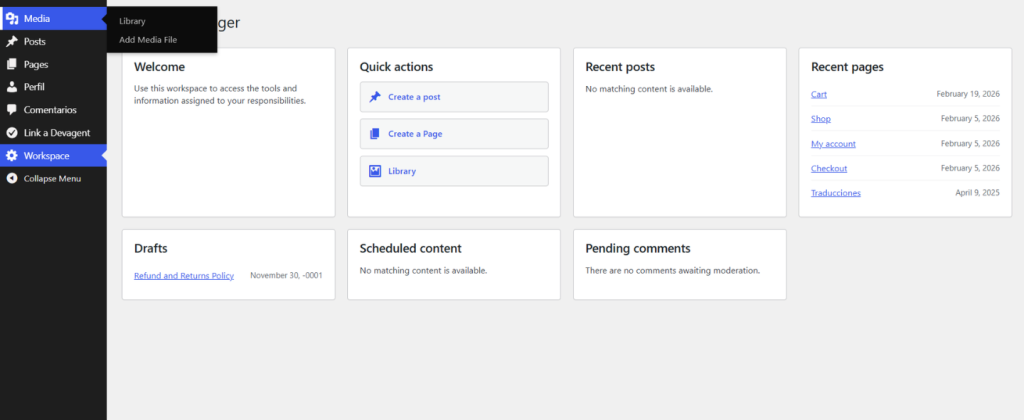
Build a practical starting screen with configurable blocks, clear instructions, and shortcuts that respect the assigned role’s capabilities.

Menu organization and verification

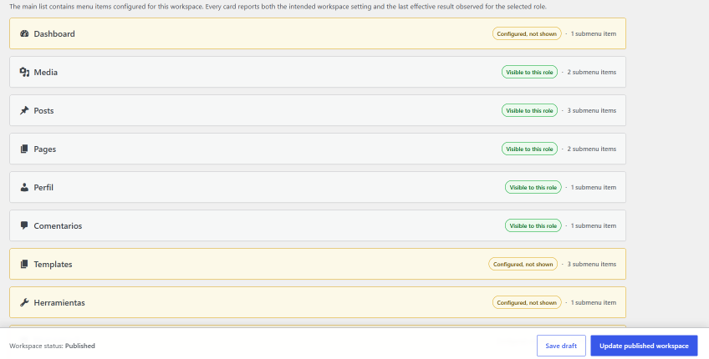
Rename, hide, reorder, group, and review native administration menu items. Compare the intended workspace menu with the items that were actually rendered for an assigned role.

Assignments, preview, and recovery

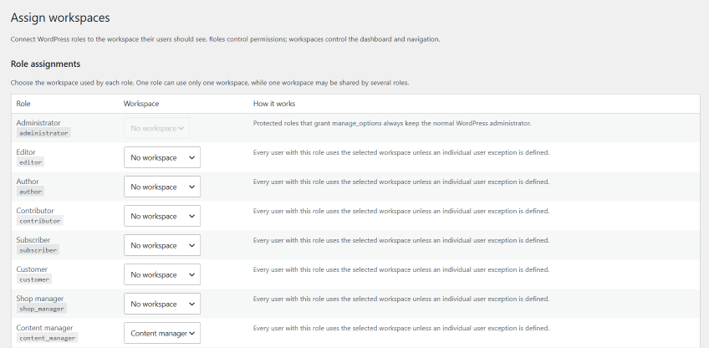
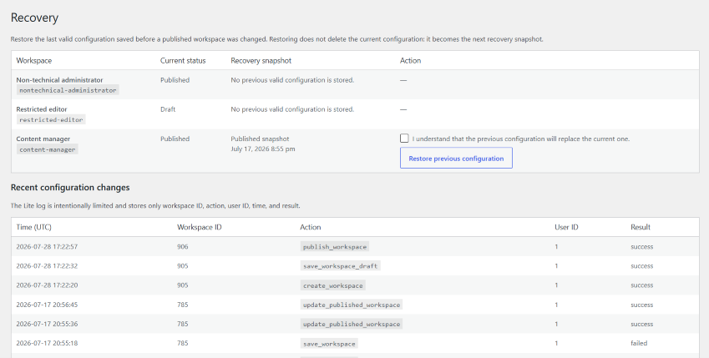
Assign a published workspace to one or several roles, add individual exceptions, preview the result, and restore the previous valid configuration when needed.

HOW IT WORKS

Build and apply a workspace in three stages

1

Prepare a role

Use an existing non-administrator role or create a new role, then review the capabilities it needs for its real tasks.

2

Build and publish the workspace

Choose the dashboard blocks, quick actions, start page, menu structure, labels, and instructions that the assigned users should receive.

3

Assign and verify the result

Apply the workspace to a role or user, sign in with a test account, and review the browser-rendered menu before deploying the configuration to production users.

Menu visibility does not grant or remove access. Test the final result with a non-administrator account.

REAL INTERFACE

Review the real WordPress interface before you install

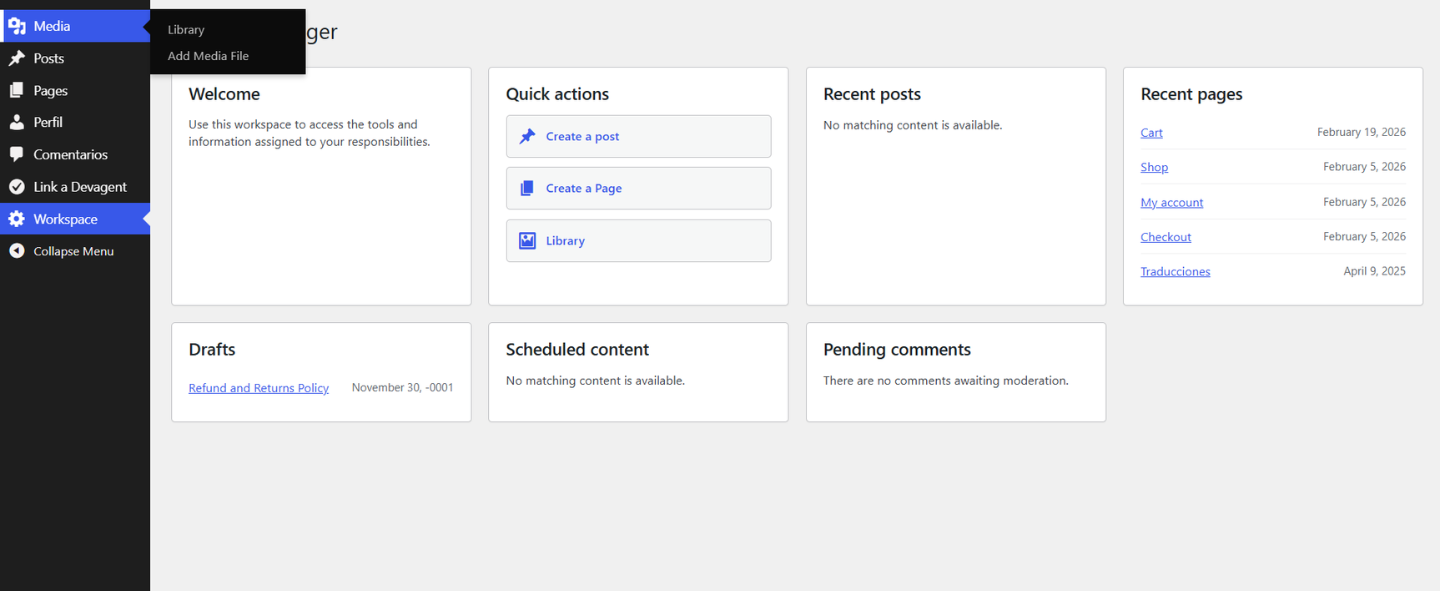
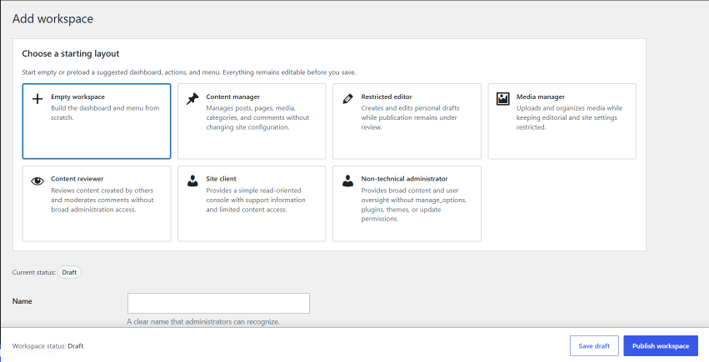
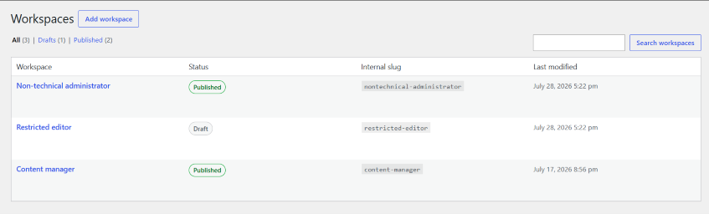
DevAgent Admin Workspace is configured inside native wp-admin. The screenshots below show the actual workspace list, role assistant, dashboard, menu verification, assignments, and recovery tools.

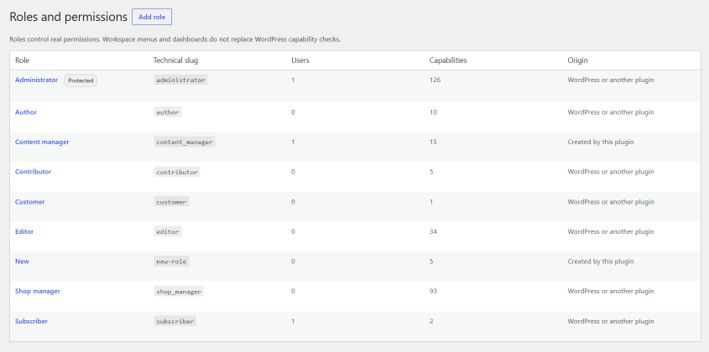
Roles and permissions

Create or duplicate WordPress roles and configure capabilities through guided questions or an advanced technical view.

Dashboard and quick actions

Create the starting experience users receive when they enter their assigned workspace.

Administrative menu verification

Compare configured visibility with the menu that was actually rendered for the selected role.

Assignments and recovery

Apply a workspace to roles or individual users, preview it safely, and return to the previous valid configuration when required.

PERMISSIONS AND LIMITATIONS

Menu presentation and WordPress permissions remain separate

What a workspace can change

The dashboard content and quick actions presented to assigned users.

The start page used after login.

The labels, order, grouping, and visibility of available wp-admin menu items.

The workspace assigned to a role or an individual user.

What it does not grant

A hidden menu item does not remove a WordPress capability.

A visible menu item does not grant access to a protected screen.

A workspace cannot bypass checks implemented by WordPress or another plugin.

Users with the manage_options capability are excluded from workspace application in the current version.

TECHNICAL REQUIREMENTS AND PRODUCT FACTS

Clear requirements before installation

Product information verified against the official WordPress.org listing on August 25, 2026. Check WordPress.org for the current version and tested WordPress release.

WordPress: 6.8 or higher.

PHP: 8.1 or higher.

Tested: up to WordPress 7.1 at the time of this page review.

Version: 1.0.1 at the time of this page review.

Distribution: free and open source on WordPress.org.

External services: no external account, telemetry, CDN assets, license checks, or external API dependency.

Multisite: data is maintained per site; there is no network-wide workspace management or synchronization.

Common questions about DevAgent Admin Workspace

Is DevAgent Admin Workspace free?

Yes. It is distributed as a free, open-source plugin through WordPress.org.

Does hiding a menu item remove the user’s permission?

No. Menu visibility changes presentation only. WordPress roles, capabilities, and the destination plugin determine whether the user can access or modify data.

Can a workspace grant access to a plugin screen?

No. A workspace can organize an available menu item, but it cannot bypass the capability checks implemented by WordPress or another plugin.

Can administrators receive a workspace?

No. Users with the manage_options capability are excluded from workspace application in the current version. Administrators can use the protected preview tools instead.

Does the plugin use telemetry or external services?

No. The plugin stores its configuration locally and does not require an external account, remote API, CDN, or license check.

Create a focused WordPress admin for your team or clients

Download DevAgent Admin Workspace from WordPress.org, configure a workspace, and verify the result with a non-administrator test account before deployment.

Free and open source · Native wp-admin · Local configuration · No telemetry

Scroll to Top